
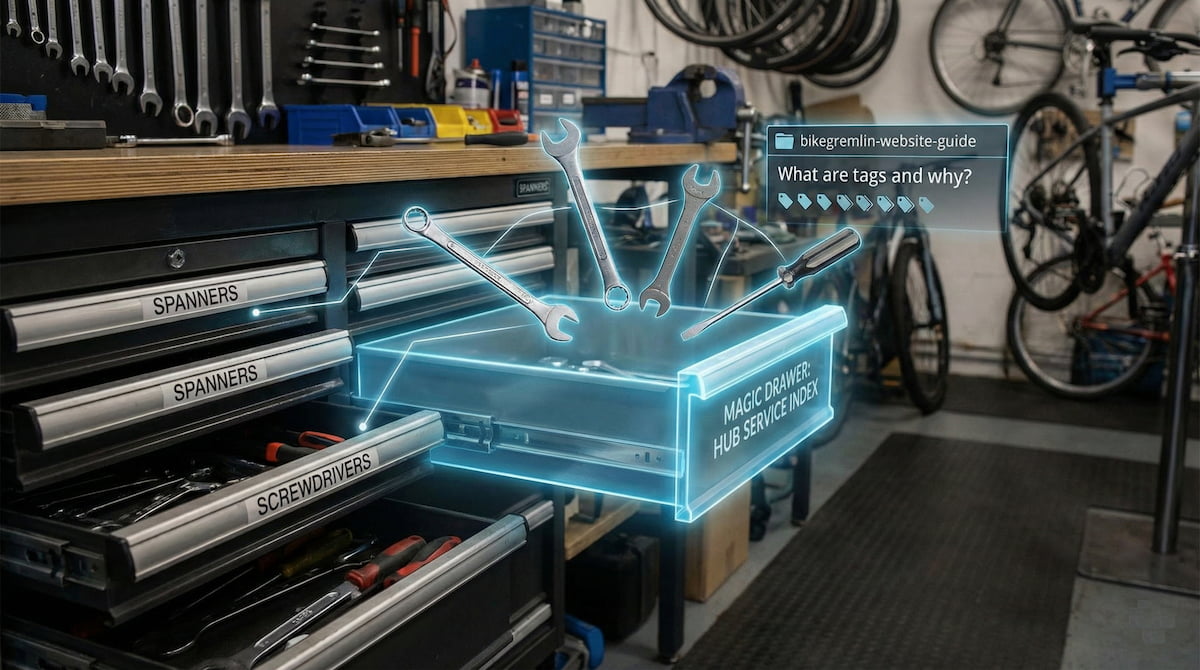
You may have noticed many articles now have an additional tag – like this very article has the “bikegremlin-website-guide” tag.
What are tags and why?
I like stuff explained to me using analogies, so that’s what I’ll use here. 🙂
You can put your spanners in one “Spanners” drawer and screwdrivers in another “Screwdrivers” drawer. That is like website article categories – the ones you can see in the top menu, the hierarchical structure.
Of course, you could put each spanner in a separate drawer, but then you would have problems finding the 15 mm spanner (or any other particular size, for that matter).
Now, imagine if you could have a magic drawer called “tools-for-hub-service-index” – and when you open it, your 15 mm spanner is there (for removing the wheel), along with the needed cone wrenches (for working hub locknuts), and your favourite flat screwdriver for removing stubborn stuck dirt – and all the other needed tools.
You could add another magic drawer called “vintage-bike-tools-index” where that same 15 mm spanner could also appear (for wheel removal).
You can’t put one spanner in two different drawers. But you can “put” it into as many magical drawers (tags) as you need!
Note:
That very same 15 mm spanner still remains in its original “Spanners” drawer – that’s the magic part!
And that is a decent analogy for a tag. Tag lets you connect any technical term or idea from an article across different categories.
One article can’t be in several categories at the same time, but it can have one or more tags!
This leads us to:
Tag navigation
Let’s take the “derailleurs-and-shifters-index” tag as an example. It lists articles from the “Compatibility” category (dealing with shifter and derailleur mix-matching) – but it also lists articles from the maintenance-oriented “Maintenance” category and a few other categories.
Do you see now how powerful tags can be? In a vertical, hierarchical website structure – tags act like horizontal “loose” connections for terms and ideas.
Confusion and abuse
If you create and assign tags in a smart, deliberate way, they can be very helpful. However, if you just add tags randomly, they become a hindrance. For example, instead of one “tyres-and-tubes-index” tag that links articles related to tyres, tubes, and valves, you could just randomly set tags like “tyre“, “tyres“, “tire“, “tires” and so on – with each listing only one or two articles. Such tags would be completely useless. Social networks and many WordPress websites make this mistake.
That is why it makes sense to add tags only for cases where there are already several articles in different categories that need to be connected (or a special subset of articles within the same category). This is crucial!
Admins only
For above-explained reasons, only website admins (that’s only me for now 🙂 ) can create new tags, and assign tags to existing and new articles.
You need a tag?
If you:
- find a set of 4-5 (or more) articles that are connected to one idea or technical term
- and you’d like one tag to link them accross different categories (or even one category)
Then use the BikeGremlin forum’s contact form or register & post a comment there (yes, forum too uses tags).
More heads are wiser than one – so you’ll likely see something that I’ve missed.
Likewise, reasonable tags (connecting 5+ articles) can’t do any harm, so I’m generally happy to help.
Relja
P.S.
A list of most-used tags (“popular”):
https://bike.bikegremlin.com/post-list-by-category/#most-used-tags
P.P.S.
I fully understand that SEO experts will warn against using tags and indexing them. However, used like this, tags should help humans navigate – and search engines might catch up sooner or later (I am used to being five years ahead of my time). 🙂
Last updated:
Originally published:
